

One of Adobe Lightroom’s most used editing tools, Content-aware Fill, just got a serious upgrade in the AI-powered shape of Generative Remove. The Adobe Firefly tool is branded “Lightroom’s most powerful remove tool yet” and after a quick play ahead of its announcement, I’d have to agree.
Compared to Content-aware Fill, which will remain in Adobe’s popular photo organizer and editor, Generative Remove is much more intelligent, plus it’s non-destructive.
As you can see from the gif below, Generative Remove is used to remove unwanted objects in your image, plus it works a treat for retouching. You simply brush over the area you’d like to edit – whether that’s removing a photo bomber or something as simple as creases in clothing – and then the new tool creates a selection of smart edits with the object removed (or retouch applied) for you to pick your favorite from.
If I was to use Lightroom’s existing Content-aware Fill for the same image in the gif below and in the same way, or even for a much smaller selection, it would sample parts of the model’s orange jacket and hair and place them in the selection. I’d then need to repeatedly apply the tool to remove these new unwanted details, and the new area increasingly becomes an artifact-ridden mess.
Put simply, Lightroom’s existing remove tool works okay for small selections but it regularly includes samples of parts of the image you don’t want. Generative Remove is significantly faster and more effective for objects of all sizes than Content-aware Fill, plus it’s non-destructive, creating a new layer that you can turn on and off.
From professionals wanting to speed up their workflow to simply removing distant photo bombers with better results, Generative Remove is next-level Lightroom editing and it gives you one less reason to use Adobe Photoshop. It is set to be a popular tool for photographers of all skills levels needing to make quick remove and retouching edits.
Generative Remove is available now as an early access feature across all Lightroom platforms: mobile, desktop, iPad, web and Classic.
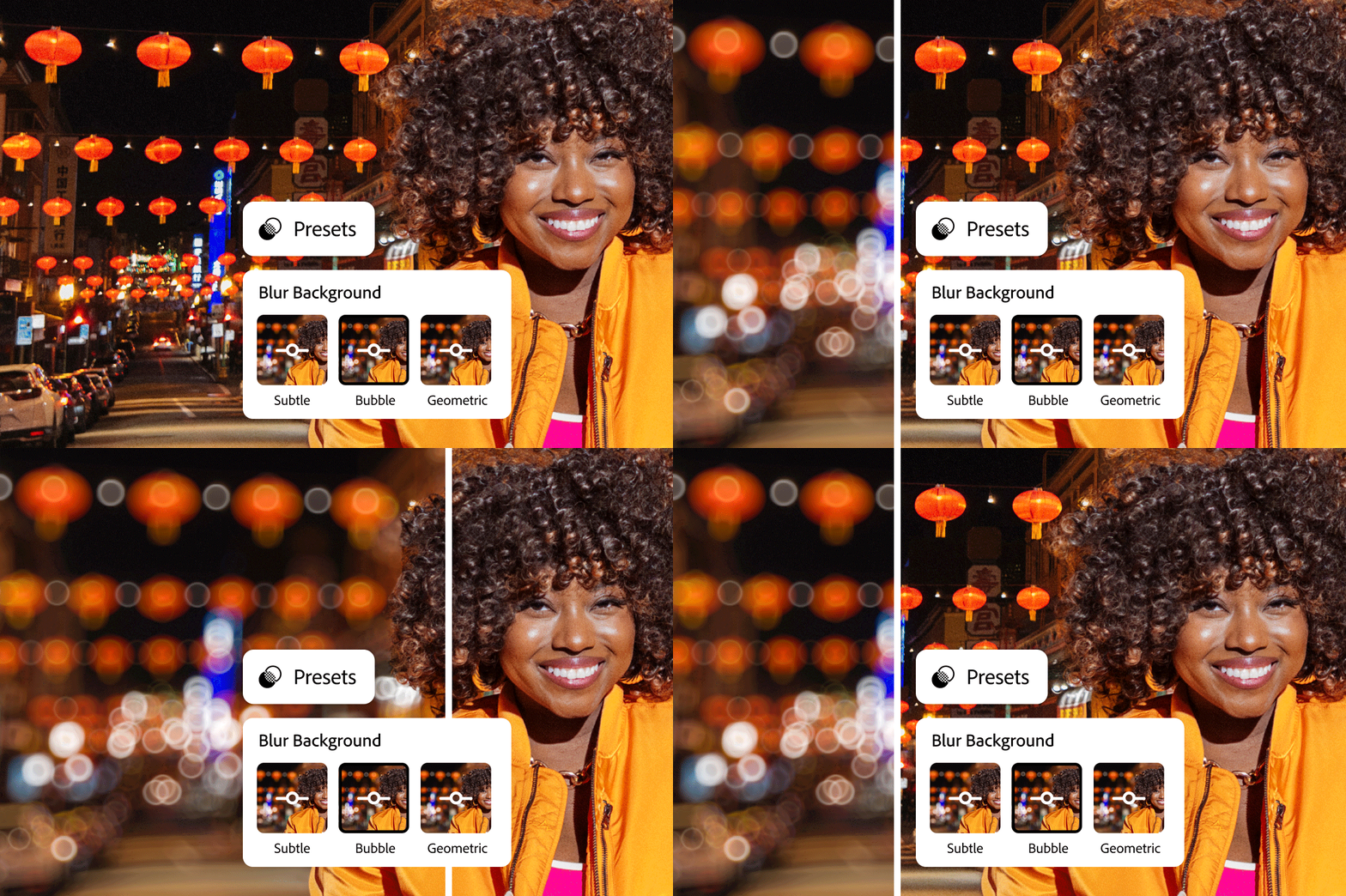
Adobe also announced that its Lens Blur tool is being rolled out in full to Lightroom, with new automatic presets. As you can see in the gif above, presets include subtle, bubble and geometric effects to bokeh. For example, speckled and artificial light can be given a circular shape with the Lens Blur bubble effect.
Lens Blur is another AI-tool and doesn’t just apply a uniform strength blur to the background, but uses 3D mapping in order to apply a different strength of blur based on how far away objects are in the background, for more believable results.
It’s another non-destructive edit, too, meaning that you can add to or remove from the selection if you’re not happy with the strength of blur applied or if background objects get missed out first time around – for instance, it might mistake a lamp in the image above as a subject and not apply blur to it.
Having both Generative Remove and Lens Blur AI-tools to hand makes Lightroom more powerful than ever. Lens Blur is now generally available across the Lightroom ecosystem. Furthermore, there are other new tools added to Lightroom and you can find out more on the Adobe website.