
Skip to content
Fuelob.com
Menu
  • Home
  • Arts Entertainments
  • Auto
  • Business
  • Cryptocurrency
  • Digital Marketing
  • Education
  • Finance
  • Gaming
  • Health Fitness
  • Home Kitchen
  • Legal Law
  • Lifestyle Fashion
  • Medicine
  • Pets
  • Real Estate
  • Relationship
  • Shopping Product Reviews
  • Sports
  • Technology
  • Tours Travel
  • Privacy Policy
  • Contact US
  • Sitemap
Menu

Don’t forget your Vision Pro passcode – if you do you’ll have to send your headset back to Apple

Posted on February 6, 2024 by admin

There are a few big features that the Apple Vision Pro is missing – such as support for Bluetooth mice and location tracking for the Apple Find My network – but perhaps the strangest omission from the Apple Vision Pro is the ability to reset your device if you forget your passcode.

During the Vision Pro set-up process you’ll be asked to enter a six-digit passcode, just as you would when setting up an iPhone or iPad. You can also optionally set up an Optic ID login method, but just as with Face ID on your other Apple gadgets there will be times when you’ll be forced to enter your passcode – for example after your headset has restarted.

If you ever forget your iPad or iPhone passcode you can unlock your Apple device by connecting it to your Mac or PC and wiping the data on it, and on the Apple Watch you can use the digital crown or your connected iPhone to do the same thing. Yes you’ll delete all the data, but a blank gadget is better than a gadget you’re forever locked out of.

However, while the Apple Vision Pro also has a setting that allows you to erase all your content – including the passcode – it’s only accessible via the Settings app. If you’re locked out of your headset because you’ve forgotten your passcode there’s currently no at-home way to get into your Vision Pro. 

Instead, as reported by Bloomberg ($/£), you’ll need to either take your headset back to your local Apple Store, or ship it back to Apple to have it reset if there isn’t a physical store near you.

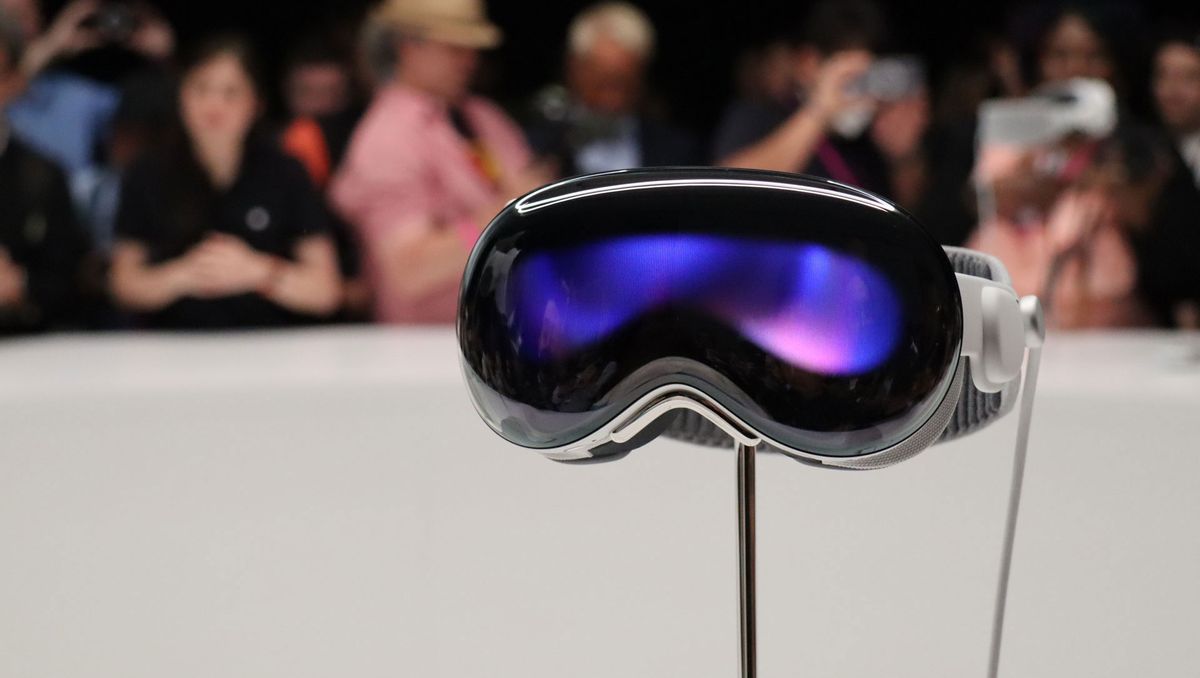
Locked out? Send it back to Apple, or say hello to your new paperweight (Image credit: Apple)

Is there a workaround? 

Unfortunately, the only workaround to this problem available to most people is to not forget your passcode in the first place.

We’ve seen reports that users with the Developer Strap – a dongle that adds a USB-C port to the Vision Pro so that it can be connected to a Mac computer – could erase the Vision Pro’s content and passcode using a Mac. However, the Developer Strap costs $300 and is only available to officially registered developers, so most people won’t have access to it – and we’ve not been able to confirm that this method works, so there’s a chance the dongle wouldn’t even help you if you had one.

We expect that Apple will launch some kind of alternative way to erase your Vision Pro passcode in due course, especially once the gadget is made available outside the US, and sending your headset back becomes even more inconvenient for some. But for now you might want to make a note of your passcode, taking the usual precautions to ensure that this is secure.

You might also like…

Leave a Reply Cancel reply

Your email address will not be published. Required fields are marked *

Recent Posts

  • Can an Office harassment lawyer protect my job?
  • What makes Coventry Magic Enterprises different?
  • Why is Landcruiser canopy ventilation important for touring and camping?
  • How much does fridge repair Ottawa typically cost for cooling issues?
  • How frequently should companies perform a firewall ruleset review?
  • Are House Cleaning Services available daily?
  • Can warehouse security systems integrate with access control?
  • Where can I buy Roof consoles Prado 120 & 150 with fast shipping?
  • What is a grievance process for a federally regulated employee?
  • Ar sulankstomas neįgaliojo vežimėlis patogus?
  • What products trend at hk trade show?
  • 구글 검색 누락 이미지도 되나요?
  • Are there affordable Wellness Norwood, NJ options?
  • Do sales recruiting agencies work globally?
  • How do Toyota Prado Accessories Australia enhance comfort?
  • 만족도는 강남달토가 높은 편이야?
  • 강남 가라오케 예약 필수인가요?
  • How do I verify accreditation of an Accredited Online School?
  • What relationship advise helps rebuild closeness?
  • 강남호빠는 처음 가는 사람에게 어떤가요?

Archives

  • July 2026
  • June 2026
  • May 2026
  • April 2026
  • March 2026
  • February 2026
  • January 2026
  • December 2025
  • November 2025
  • October 2025
  • September 2025
  • August 2025
  • July 2025
  • June 2025
  • May 2025
  • April 2025
  • March 2025
  • February 2025
  • January 2025
  • December 2024
  • November 2024
  • October 2024
  • September 2024
  • August 2024
  • July 2024
  • June 2024
  • May 2024
  • April 2024
  • March 2024
  • February 2024
  • January 2024
  • December 2023
  • November 2023
  • October 2023
  • September 2021

Categories

  • Arts Entertainments
  • Auto
  • Business
  • Cryptocurrency
  • Digital Marketing
  • Education
  • Finance
  • Gaming
  • Health Fitness
  • Home Kitchen
  • Legal Law
  • Lifestyle Fashion
  • Medicine
  • Pets
  • Real Estate
  • Relationship
  • Shopping Product Reviews
  • Sports
  • Technology
  • Tours Travel
Slot88
©2026 Fuelob.com | Design: Newspaperly WordPress Theme