
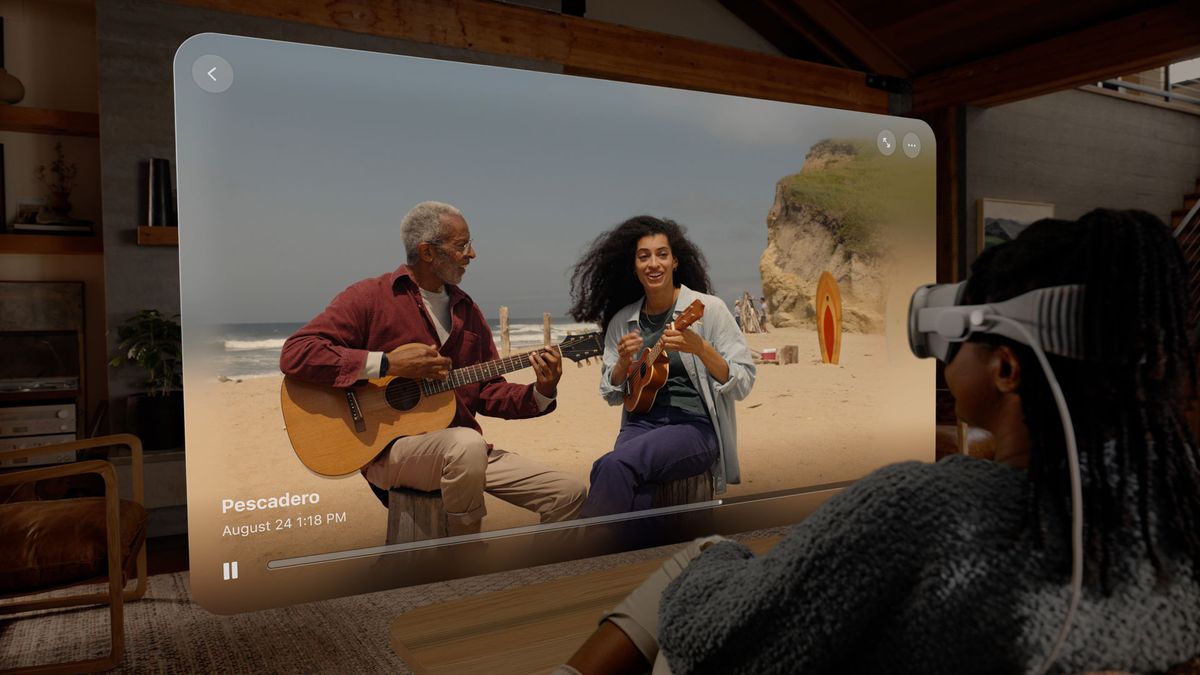
Every experience I have with Apple’s Vision Pro mixed reality headset is the same as the last and yet also quite different. I liken it to peeling an onion: I think I understand the feel and texture of it, but each time I notice new gradations and even flavors that remind me that I still don’t fully know Apple’s cutting-edge wearable technology.
For my third go around wearing the Vision Pro I had the somewhat unique experience of viewing my own content through the powerful and pricey ($3,499 when it ships next year) headset.
A few weeks ago, Apple dropped a beta for iOS 17.2, which added Spatial Video capture to the iPhone 15 Pro and iPhone 15 Pro Max (the full version landed this week). It’s a landscape-only mode video format that uses the 48MP main and 12MP Ultrawide cameras to create a stereo video image. I started capturing videos in that format almost immediately, but with the caveat that not every video is worthy of this more immersive experience (you can’t be too far away from your subject, and keeping the phone level and steady helps). Still, I had a solid nine clips that I brought with me for my second and by far more personal Vision Pro Spatial Video experience.
I tried, during this third Vision Pro trial, to pay more attention to some of the headset’s setup and initialization details. As I’ve mentioned previously, the Vision Pro is one of Apple’s more bespoke hardware experiences. If you wear glasses, you will need to pay extra for a pair of custom-made Zeiss lens inserts – I provided my prescription details in advance of this test run. It’s not clear how long consumers might have to wait for their own inserts (could Apple have an express optician service in the back of each Apple Store? Doubtful).
Not everyone will need those lenses, or have to endure that extra cost and wait. If you don’t wear glasses, you’re ahead of people like me, and likewise if you’re a contact lens wearer.
Getting the custom experience right
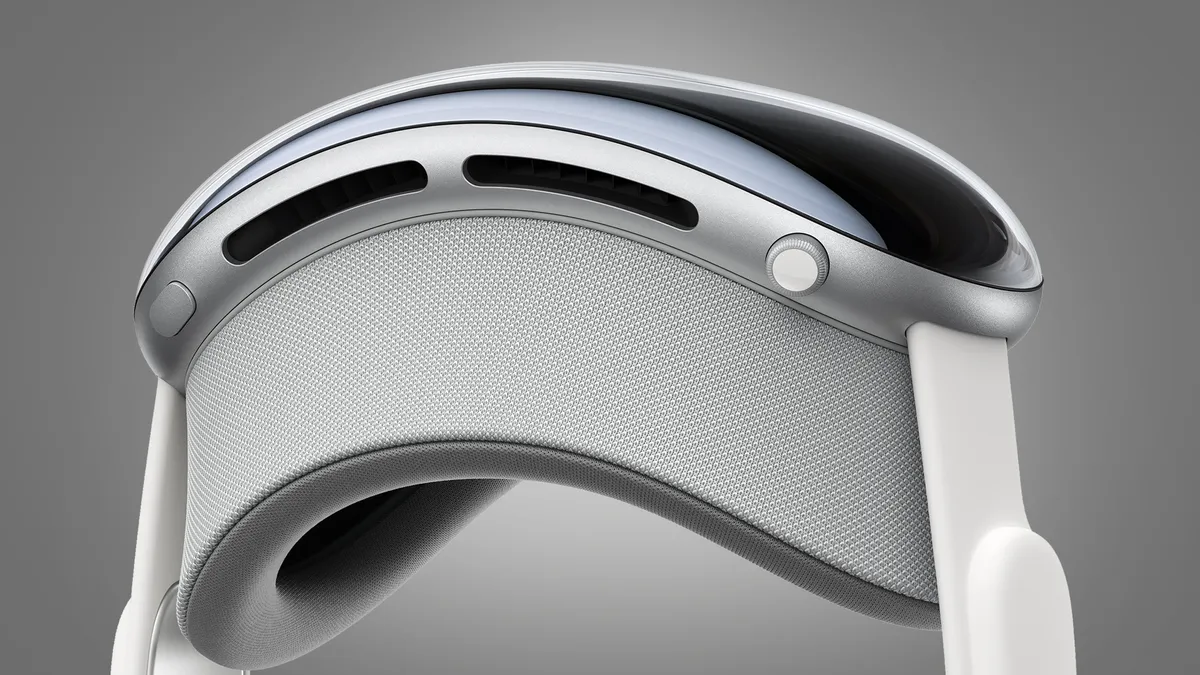
Still, there are other customizations that I didn’t pay attention to until now. The face cushion that rests on your face and connects magnetically to the main part of Vision Pro comes in a few different curve styles to accommodate the differing contours of of a range of typical human faces. I don’t know how many different options Apple will offer.
One thing that’s critical for a comfortable AR and VR experience is matching your eye’s pupillary distance – the distance between the centers of your eyes. This was the first time I paid attention to one of the first steps in my Vision Pro setup. After I long-pressed the headset’s digital crown, a pair of large green shapes appeared before my eyes. They measured the space between my eyes and inside the Vision Pro, and then the dual micro-LED displays and their 23 million pixels of imagery moved to match the space between my eyes. If you listen carefully, you might be able to hear the mechanics doing their job.
I also noted how the Vision Pro runs me through three distinct sets of eye-tracking tests, where I looked at a ring of dots and, for each one, pinched my index finger and thumb together to select them. It might feel tedious to do this three times (okay, it did) but it’s a critical step that ensures the Vision Pro’s primary interaction paradigm works perfectly every time.
Now, at my third wearing, I’ve become quite an expert at the looking and pinching thing. A gold star for me.
Spatial computing is kind of familiar

We AirDropped my spatial video and panorama shots from a nearby phone. It was nice to see how smoothly AirDrop works on the Vision Pro – I saw that someone was trying to AirDrop the content and simply looked at ‘Accept’ and then pinched my thumb and finger. Within seconds, the content was in my Photos library (spatial video gets its own icon).
When Apple’s panorama photography was new in iOS 6, I took a lot of panoramic photos. I was tickled by the torn humans who moved too fast in the shot, and the ability to have someone appear twice in one trick panoramic photo. Apple has mostly cleared up the first issue – I noticed that fewer of my recent panos feature people with two heads. These days, though, I take very few panos and only had four decent ones to try with the Vision Pro.
Even with just a few samples, though, I was startled by the quality and immersive nature of the images. My favorite by far was the photo I took earlier this year from my CES 2023 hotel room with an iPhone 14 Pro. Taking these shots is something of a ritual. I like to see what the view and weather are like in Las Vegas, and usually share something on social media to remind people that I’m back at CES.
It would not be an exaggeration to say that this one shot, taken from fairly high up at the Planet Hollywood Hotel, was a revelation. Not just because the vista which virtually wrapped almost around my head was gorgeous, but for the first time I noticed when I looked at the far-right side of the image a complete reflection of me taking the photo. It’s a detail I never noticed when looking at the pano on my phone, and there’s something incredibly weird about unexpectedly spotting yourself in an immersive environment like that.
A vista from Antigua was similarly engaging. The clarity and detail overall, which is a credit to iPhone 14 Pro and iPhone 15 Pro Max photography, is impressive. I viewed most of my panos in immersive mode, but could, by using a pinch-and-push gesture with both hands, put the panoramic image back in a windowed view.
Spatial view

In preparation for my spatial video experience, I shot videos of Thanksgiving dinner, Dickensian carollers, walks in the park, model trains, and interactions with a friend’s four-year-old.
Each of these videos hit me a little differently, and all of them in immersive mode shared a few key features. You can view spatial video on the Vision Pro in a window, but I preferred the immersive style, which erases the borders and delivers each video in almost a cloud. Instead of hard edges, each 3D video fades away at the borders, so there’s no clear delineation between the real world and the one floating in front of your face. This does reduce the field of view a bit, especially the vertical height and depth – when I viewed the spatial videos on my iPhone (on which they look like regular, flat videos), I could see everything I captured from edge to edge, while in immersive mode on the Vision Pro, some of the details got lost to the top and bottom of the ether.
With my model train videos, the 3D spatial video effect reminded me of the possibly apocryphal tale of early cinema audiences who, upon seeing a film of an oncoming train, ran screaming from the theater. I wouldn’t say my video was that intense, but my model train did look like it was about to ride right into my lap.
I enjoyed every video, and while I did not feel as if I was inside any of them, each one felt more real, and whatever emotions I had watching them were heightened. I suspect that when consumers start experiencing the Vision Pro and spatial videos for themselves they might be surprised at the level of emotion they experience from family videos – it can be quite intense.
It was yet another short and seated experience, and I’m sure I didn’t press the endurance of the Vision Pro’s external two-hour battery pack. I did notice that if I were about to, say, work a full day, watch multiple two-hour movies, or go through a vast library of spatial videos, I could plug a power-adapter-connected cable right into the battery pack’s available USB-C port.
I still don’t know if the Apple Vision Pro is for everyone, but the more I use it, and the more I learn about it, the more I’m convinced that Apple is set to trigger a seismic shift in our computing experience. Not everyone will end up buying Vision Pro, but most of us will feel its impact.