
Skip to content
Fuelob.com
Menu
  • Home
  • Arts Entertainments
  • Auto
  • Business
  • Cryptocurrency
  • Digital Marketing
  • Education
  • Finance
  • Gaming
  • Health Fitness
  • Home Kitchen
  • Legal Law
  • Lifestyle Fashion
  • Medicine
  • Pets
  • Real Estate
  • Relationship
  • Shopping Product Reviews
  • Sports
  • Technology
  • Tours Travel
  • Privacy Policy
  • Contact US
  • Sitemap
Menu

You can run macOS on a Nintendo DS – and here’s how to do it

Posted on February 20, 2024 by admin

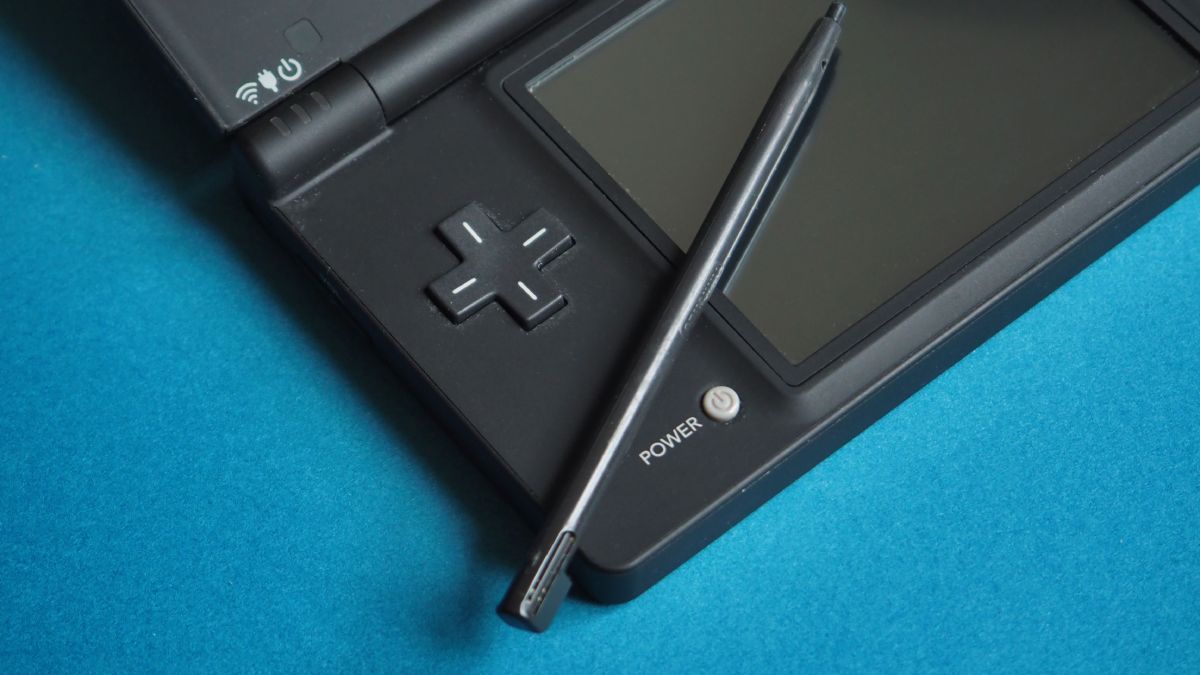
The Nintendo DS holds a special place in many of our hearts, and if you’re lucky enough to still have one today that may be collecting dust, we’ve found a fun little project you could try with the popular handheld console. 

YouTuber Michael MJD specializes in vintage tech and often makes videos with older computers and game consoles, running contemporary software on much older, whackier hardware just for the fun of it. 

Recently, he put out a video explaining how to run macOS on a Nintendo DS, which was too delightful for me not to share. There are quite a few steps involved, but if you’ve got the time and determination, you can even start creating doodles with MacPaint! The video below goes into more detail as to how exactly you’d achieve this, and we do recommend watching it a few times to get a handle on how everything is supposed to look if you’re going to attempt it yourself. 

You’ll need your Nintendo DS, an SD card, a Macintosh Plus emulator and Mini vMac DS. Once you download the Mini vMac DS files you’ll then have to put them on the SD card and install the appropriate version of macOS (Michael uses 6.0.8, as newer versions won’t run). With that done, you can plug that bad boy into the console and wait for it to boot up macOS. 

In the video, you can see that the bottom screen on the Nintendo DS is used as the keyboard and mouse tracker once macOS boots up, with Michael using the stylus to type on the keyboard and move the mouse around on the top screen. 

Michael MJD also shows how if you press the start button on the DS it pivots between using the touch screen and using the D-pad to manipulate the mouse and select the apps available on the operating system. 

The process may seem a bit complicated at first, but it’s still rather rewarding in the end if you’ve been hanging onto your old gaming console and looking for something to do with it instead of just leaving it to collect dust. You won’t be editing videos or drafting the next best selling novel on your DS, but this is definitely a fun weekend project worth trying if you’re a Nintendo and Apple fan. 

If you’re looking to actually use the most recent version of macOS, version 14 ‘Sonoma’, you can check out our list of the best Macs and MacBooks right now – no tricky installation required!

You might also like…

Leave a Reply Cancel reply

Your email address will not be published. Required fields are marked *

Recent Posts

  • Can an Office harassment lawyer protect my job?
  • What makes Coventry Magic Enterprises different?
  • Why is Landcruiser canopy ventilation important for touring and camping?
  • How much does fridge repair Ottawa typically cost for cooling issues?
  • How frequently should companies perform a firewall ruleset review?
  • Are House Cleaning Services available daily?
  • Can warehouse security systems integrate with access control?
  • Where can I buy Roof consoles Prado 120 & 150 with fast shipping?
  • What is a grievance process for a federally regulated employee?
  • Ar sulankstomas neįgaliojo vežimėlis patogus?
  • What products trend at hk trade show?
  • 구글 검색 누락 이미지도 되나요?
  • Are there affordable Wellness Norwood, NJ options?
  • Do sales recruiting agencies work globally?
  • How do Toyota Prado Accessories Australia enhance comfort?
  • 만족도는 강남달토가 높은 편이야?
  • 강남 가라오케 예약 필수인가요?
  • How do I verify accreditation of an Accredited Online School?
  • What relationship advise helps rebuild closeness?
  • 강남호빠는 처음 가는 사람에게 어떤가요?

Archives

  • July 2026
  • June 2026
  • May 2026
  • April 2026
  • March 2026
  • February 2026
  • January 2026
  • December 2025
  • November 2025
  • October 2025
  • September 2025
  • August 2025
  • July 2025
  • June 2025
  • May 2025
  • April 2025
  • March 2025
  • February 2025
  • January 2025
  • December 2024
  • November 2024
  • October 2024
  • September 2024
  • August 2024
  • July 2024
  • June 2024
  • May 2024
  • April 2024
  • March 2024
  • February 2024
  • January 2024
  • December 2023
  • November 2023
  • October 2023
  • September 2021

Categories

  • Arts Entertainments
  • Auto
  • Business
  • Cryptocurrency
  • Digital Marketing
  • Education
  • Finance
  • Gaming
  • Health Fitness
  • Home Kitchen
  • Legal Law
  • Lifestyle Fashion
  • Medicine
  • Pets
  • Real Estate
  • Relationship
  • Shopping Product Reviews
  • Sports
  • Technology
  • Tours Travel
Slot88
©2026 Fuelob.com | Design: Newspaperly WordPress Theme